

xTool M2
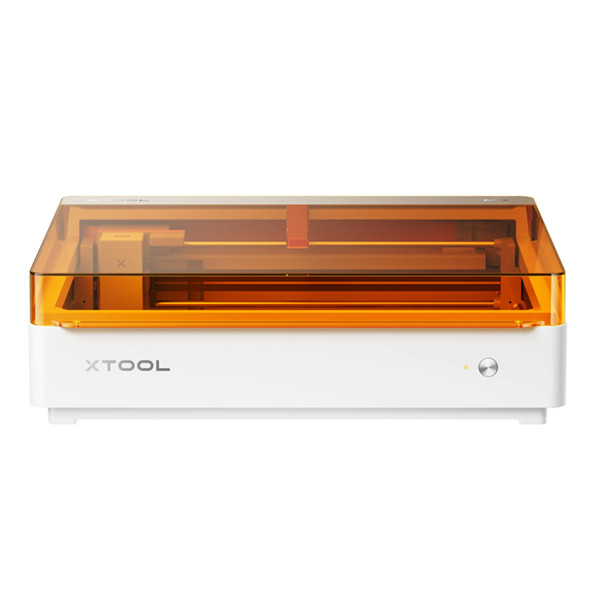
- 1: Versatility: Print, cut and engrave
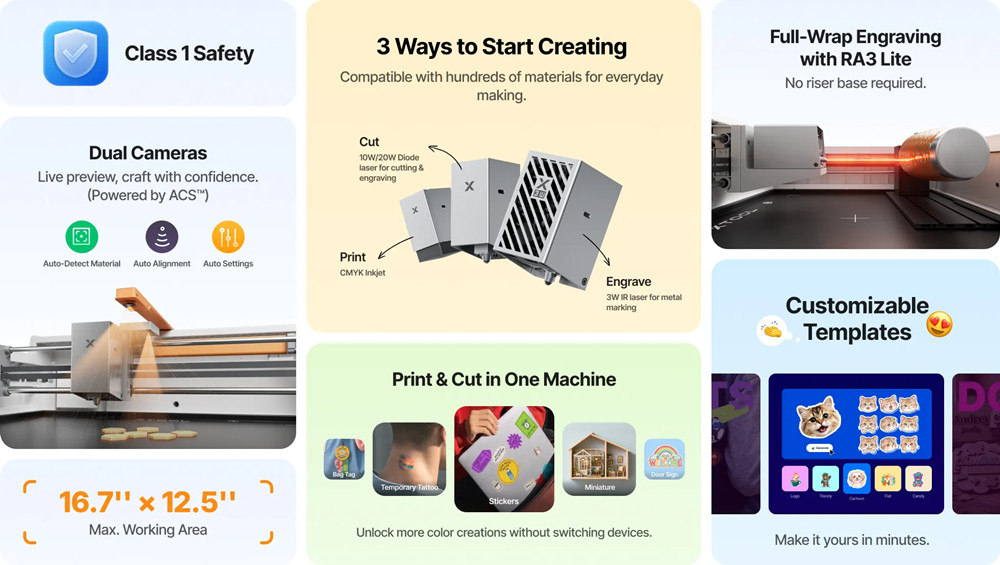
- 2: Dual Cameras: Smart positioning
- 3: Effortless Experience: Intuitive software
- 4: Endless Applications
- 5: Class 1 Safety: Enclosed design
PRICE
-
 xTool M2 $549.99
View Offer -
 xTool M2 $599.99
View Offer
PROS
- Three-in-one functionality
- Class 1 fully enclosed safety
- Modular toolhead system
- Dual-camera smart positioning
- Auto-focus and ACS automation
- Integrated air assist
CONS
- Modules sold separately
- Base 10W has limits
- Not portable
- No built-in filtration
- Clear acrylic not supported
- Printing requires preparation
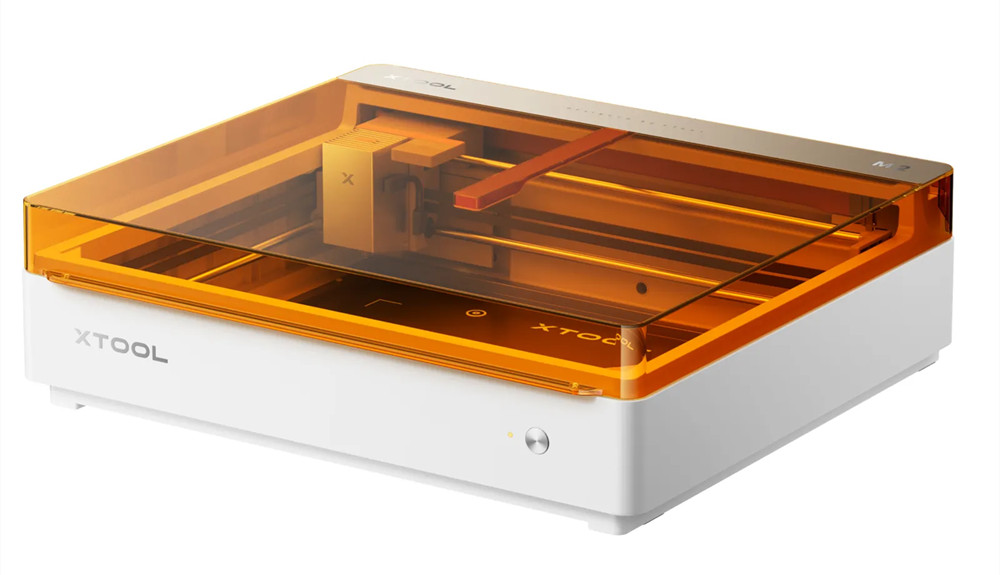
The desktop laser market has been a crowded space for years, but very few machines have genuinely redefined what a craft laser can be. The xTool M2 does exactly that.
Instead of simply being another laser engraver with a bigger bed or higher wattage, the M2 aims to be a complete creative workstation — combining laser cutting, laser engraving, CMYK color printing, and intelligent automation in one compact, enclosed machine. Starting at just $599, it brings features that previously required multiple machines or budgets well over $1,000 into the hands of everyday makers.
This is the machine for anyone who has outgrown a vinyl cutter or basic craft printer but doesn’t want to turn a spare room into a full production shop. Let’s dive into what makes the M2 so compelling — and whether it’s the right choice for you.
What Makes the xTool M2 Stand Out?
1. CMYK Color Printing + Laser in One Machine
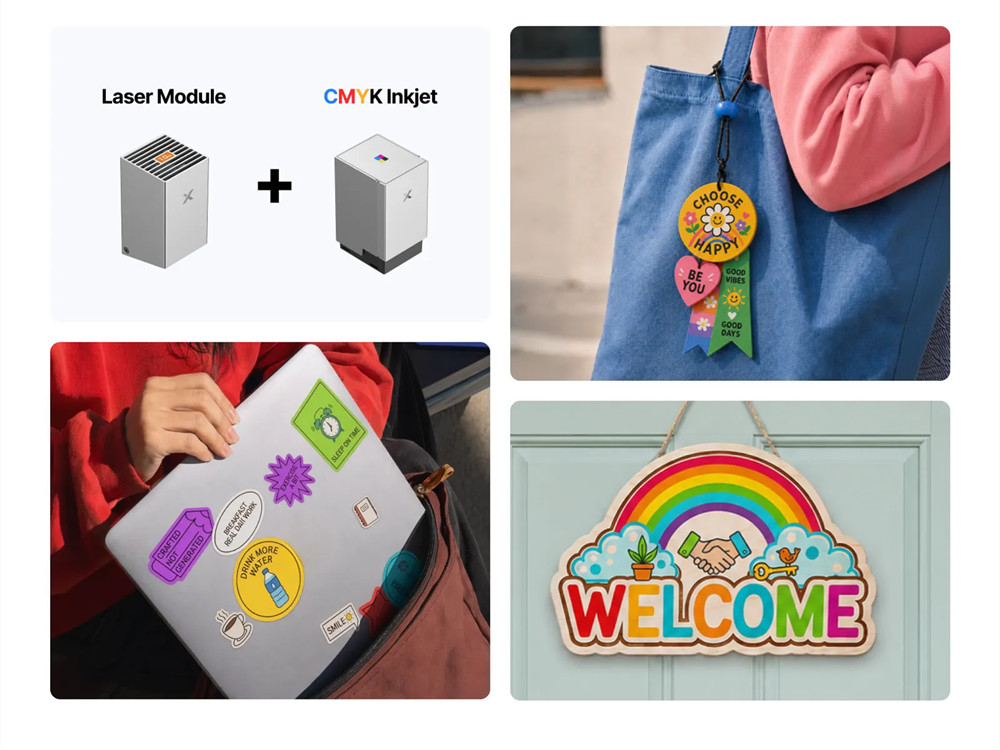
The M2’s headline feature is its CMYK inkjet module, which enables full-color printing directly onto compatible materials like wood, paper, felt, and other porous surfaces. The machine can then use the laser to cut or engrave the same piece in a seamless print-and-cut workflow.
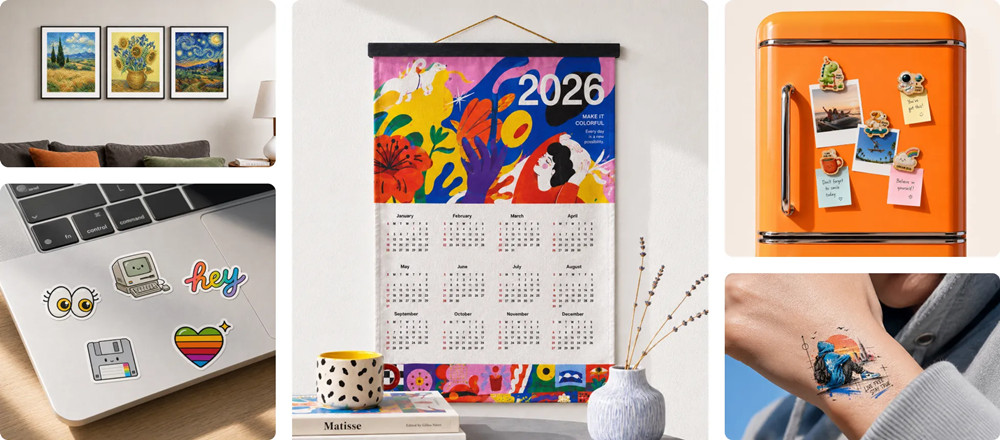
For creators producing stickers, labels, personalized gifts, ornaments, and small-batch merchandise, this eliminates the need to print on one machine and cut on another. No more alignment headaches, no more wasted materials from misregistration.
2. Modular Toolhead System
The M2 is built around a modular design. The laser head connects via a straightforward USB-C link and heavy-duty alignment magnets, allowing you to swap modules in under ten seconds.
This transforms the M2 from a single-purpose machine into a multi-function crafting platform.
3. Class 1 Enclosed Safety
The M2 carries a fully enclosed design and Class 1 laser safety certification. xTool frames this as making the machine usable at home without a dedicated workspace.
The enclosure also improves smoke management and creates a more professional appearance compared to open-frame laser engravers. For educators, home-based creators, and small businesses, this safety certification is a major advantage — reducing liability and simplifying supervision.
4. Dual-Camera Smart Positioning System
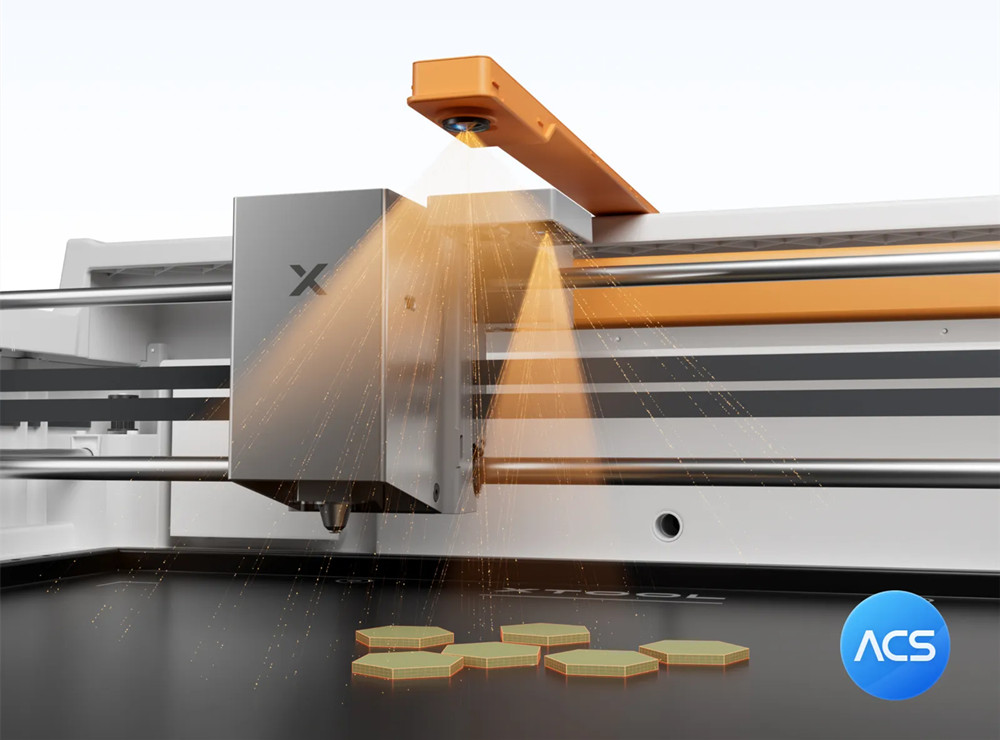
The M2 houses a dual-camera array: a 5MP close-view camera and a 16MP distance-view camera. Together, they capture a high-resolution overview of your working bed directly inside the design software.
The software even allows close-up image stitching for highly detailed, larger-scale projects.
5. Automated Material Handling (ACS)
One of the biggest challenges for new laser users is learning how to properly position materials, select settings, and align designs. The M2 addresses this through its ACS (Automated Creation System) , which automatically handles tasks such as:
- – Material positioning
- – Auto-focus (the laser head automatically probes the exact height of your workpiece)
- – Setup optimization
This significantly reduces the learning curve and helps beginners avoid common mistakes that waste both time and materials. The workflow feels familiar and approachable for users transitioning from craft cutters like Cricut or Silhouette machines.
6. Integrated Air Assist
Unlike many powerful laser cutters that require external air pumps, the M2 has its own integrated air pump. This helps keep the lens clean and produces cleaner cuts with less charring. (For heavy use, xTool recommends pairing with the optional SafetyPro AP2 Air Purifier.)
Performance: What Can It Actually Do?
Laser Cutting & Engraving
The M2 supports a wide variety of materials, including wood, leather, felt, paper, cardstock, cardboard, cork, and dark/opaque acrylic.
| Material | Cut (10W) | Cut (20W) | Engrave | |
|---|---|---|---|---|
| Cardstock / Paper | ✅ | ✅ | ✅ | ✅ |
| Sticker Paper | ✅ | ✅ | ❌ | ✅ |
| Felt | ✅ | ✅ | ⚠️ | ✅ |
| Thin Wood Sheets | ✅ | ✅ | ✅ | ⚠️ (needs prep) |
| Plywood | Thin sheets | Thicker sheets | ✅ | ⚠️ (needs prep) |
| Genuine Leather | ✅ | ✅ | ✅ | ⚠️ (light colors only) |
| Dark/opaque Acrylic | ✅ | ✅ | ✅ | ❌ |
| Anodized Aluminum | ❌ | ❌ | ✅ (IR) | ❌ |
| Stainless Steel | ❌ | ❌ | ✅ (IR) | ❌ |
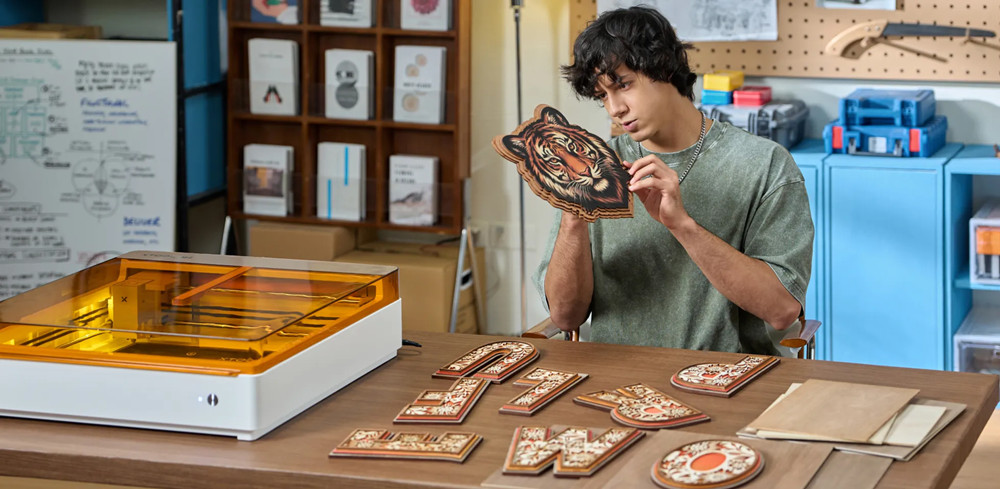
Wood engraving produces sharp details and excellent contrast. The M2 is compatible with over 300 different materials.
Color Printing (CMYK Module)
The CMYK print head can print directly on:
- – Paper and cardstock
- – Wood (with coating/primer)
- – Felt (light-colored prints better)
- – Leather (light-colored or with coating)
The ink cartridge can churn out about 400 pages before a new one is needed.
Metal Marking (3W IR Module)
With the optional 3W infrared laser module, the M2 can engrave on metals including:
- – Stainless steel
- – Anodized aluminum
- – Coated metals
- – Software and Workflow
The M2 runs on xTool Creative Space (XCS) , which is widely praised for its intuitive interface. Key features include:
- – Live preview of the workspace via the dual-camera system
- – AI-assisted material detection and auto-settings
- – Easy design positioning and alignment
- – Seamless print-and-cut workflow
For creators who have felt intimidated by steep pricing or complex open-frame lasers, the M2’s software experience is a major selling point.
Safety Features
The M2’s Class 1 fully enclosed design provides:
- – Complete light shielding during operation
- – Lid-open auto-pause (the laser stops when the lid is opened)
- – Built-in smoke management (exhaust port for hose connection)
- – Professional-grade enclosure that belongs in a home office or craft room
This makes the M2 genuinely home-friendly — no dedicated workshop required.
Price and Where to Buy
| Configuration | Price |
|---|---|
| Base M2 (10W diode only) | $599 USD |
| M2 + CMYK Print Module (10W) | $749 USD |
| M2 + CMYK Print Module (20W) | $1,149 USD |
| 3W IR Laser Module (add-on) | $499 USD |
Launch promotion: The M2 launched with a temporary discount to $549 for the first week.
Comparisons to Consider
| Feature | xTool M2 (10W) | SCULPFUN E1 | Glowforge Pro |
|---|---|---|---|
| Laser Power | 10W diode | 12W diode + 3W IR | 45W CO₂ |
| Color Printing | ✅ CMYK (optional) | ❌ | ❌ |
| Enclosure | Class 1 (built-in) | Class 1 (built-in) | Built-in |
| Work Area | 426×320mm | 400×320mm | 508×279mm |
| Cameras | Dual (5MP+16MP) | Single HD | Single |
| Modular Toolheads | ✅ (diode/IR/print) | ❌ | ❌ |
| Price | $599 | $899 | $6,000 |
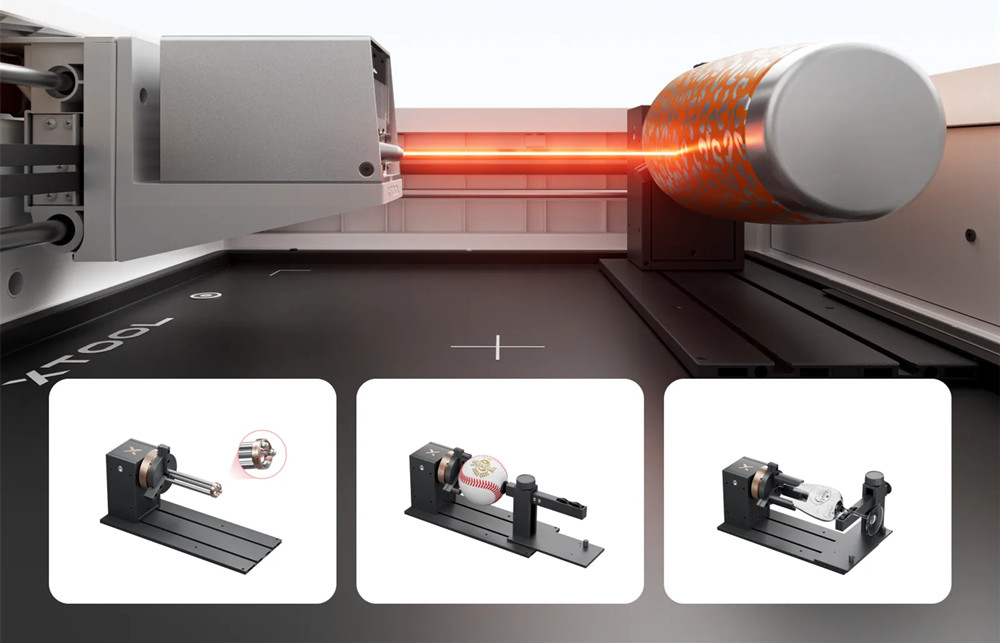
The M2’s CMYK printing capability and modular toolhead system set it apart from competitors. While the SCULPFUN E1 offers a dual-laser (diode+IR) configuration at a similar price, it lacks color printing. The Glowforge Pro is a CO₂ laser with a much higher price tag and no printing functionality.
Summary
The xTool M2 is one of the smartest enclosed diode laser systems currently available in its size class. It combines 10W or 20W diode laser options, a 3W IR add-on, a CMYK print head, integrated air assist, dual cameras, and genuinely excellent software — all at a price that undercuts what many would have expected.
Is it perfect? No. The base 10W module has limits on thicker materials. The print and IR modules are sold separately. And the lack of built-in filtration means you’ll want to consider the (expensive) air purifier for heavy use.
But for hobbyists, small business owners, educators, and anyone who wants to create without feeling like they’ve enrolled in a night class on industrial machinery, the M2 represents a breakthrough. It’s not just feature-rich — it’s feature-rich in a way that feels properly integrated.
If you’ve been on the fence about investing in a laser engraver, the xTool M2 makes the decision much easier. It’s the machine that finally makes “print, then cut” a seamless reality — and at $599, it’s a gateway to professional-quality crafting that’s genuinely hard to argue against.
SPECS
Product Details
| Specification | Laser Options: 10W, 20W, or 40W diode (455nm) + optional 3W IR Inkjet Module: CMYK full-color printing (optional) Working Area (10W/20W): 426 × 320 mm (16.8" × 12.6") Working Area (40W): 426 × 312 mm Working Area (3W IR): 412.5 × 310 mm Inkjet Printing Area: 300 × 294 mm Max Speed: 600 mm/s Machine Size: 610 × 569 × 180 mm Weight: 12.3 kg Safety Class: Class 1 Fully Enclosed Cameras: 5MP close-view + 16MP distance-view Connectivity: USB-C, Wi-Fi, expansion ports Software: xTool Creative Space (XCS) |
REVIEWS
More Products from XTOOL


Copyright © 2015 - 2026 Priceboon.com. All Rights Reserved.